for:each template directives in LWC for:each template directives in LWC(Lightning Web Component) To render a list of items, use for:each directive or the iterator directive to iterate over an array. Add the directive to a …
Difference between Export & Export All in data loader is really interesting. I was asked this question in one of my job interview. There are two buttons available in dataloader ‘Export’ & ‘Export All’. Difference …
apex:pageMessage and apex:pageMessages – Salesforce Most of the times we are confused between these two visualforce components i.e. apex:pageMessage and apex:pageMessages. A small different of ‘s’. Let’s see the difference between apex:pageMessage and apex:pageMessages – Salesforce. …
Salesforce Certification Salesforce Certification – Guide to pass all salesforce Certifications Salesforce is one of the fastest-growing, most in-demand skill sets today. From software developers to solutions architects, to project managers and marketing and sales …
Salesforce Integration Interview Questions And Answers In this post I am going to share Salesforce Integration Interview questions and answers Here is list of all Salesforce Integration Interview Questions And Answers: What is Integration? What …
In 2026, startups are growing in shorter cycles. You might hire fast, pivot your model, move offices, switch to hybrid, or open a small satellite space. The biggest mistake is treating furniture like a one-time “setup cost” and then getting stuck with the wrong assets six months later.
So what’s smarter for a startup today: renting office furniture or buying it?
Let’s break it down in a simple, practical way.
Why this decision looks different in 2026
A few things have changed compared to earlier years:
Teams scale in bursts (5 to 20 people quickly, then steady, then another jump).
Hybrid work is normal, so not every seat is used daily.
Office spaces are more flexible (shorter leases, shared spaces, managed offices).
Cash preservation matters more than “owning stuff” early on.
Speed matters: founders want a functional office next week, not next month.
That’s exactly why renting is no longer “temporary”. For many startups, it’s the default.
Renting vs Buying: the real difference (not the emotional one)
Buying feels like an “asset”. Renting feels like an “expense”.
But in real startup life, the difference is usually this:
Buying is best when:
Your team size is stable for 18 to 36 months
You are sure about your office location and layout
You want full control of look, brand design, and exact specs
You can afford the upfront cash without slowing growth
Renting is best when:
Your headcount may change in the next 3 to 12 months
You might move offices or restructure teams
You want a ready office fast
You prefer predictable monthly cost
You want service support (replacement, maintenance, upgrades)
The biggest startup question: cash flow vs ownership
Startups don’t fail because they didn’t own chairs. They fail because they run out of cash. That’s why office furniture rent in Pune is becoming the practical default for many early-stage teams who want to preserve cash and stay flexible.
When you buy furniture:
You pay a large upfront amount
You lock cash into items that don’t directly create revenue
If you pivot or move, you either:
transport it, or
sell it at a discount, or
store it and pay for storage
When you rent furniture:
You keep capital available for:
hiring
marketing
product development
sales tools
You pay a monthly amount that’s easier to plan
For most early-stage startups, that cash flexibility is the difference between comfort and stress.
How renting wins for most startups (practically)
1) You can scale seats up or down
In the early stage, you might go from:
8 seats to 18 seats in 2 months or
20 seats to 12 seats after switching to hybrid
If you buy, resizing is painful. If you rent, resizing is usually simpler.
2) Your office setup becomes faster
Startups often need:
workstations
ergonomic chairs
storage
meeting tables
reception seating
Renting helps you set up quickly without running around vendors, transport, and assembly teams.
3) Maintenance is not your headache
Chairs break. Drawer locks jam. Tables get scratched. Wheels fail.
When you buy, you manage repairs and replacements. When you rent, service support is typically part of the equation, which saves time and admin work.
4) Easier to relocate
Relocation is common for startups:
you move closer to metro access
you upgrade to a larger office
you switch to a managed space
Owned furniture turns that move into a logistics project. Renting reduces the burden because furniture can be picked up and reinstalled based on your new layout.
When buying can actually be the smarter move
Renting is not automatically better. Buying can be smart when you check these boxes:
1) You’re stable and predictable
If your team size is stable and you’re confident you’ll stay in the same office for a long period, buying can be cost-effective.
2) You want a very specific design
If you have strong interior design requirements, custom branding, or special materials, buying gives you complete control.
3) You have procurement and admin support
Buying needs:
vendor management
quality checks
warranty follow-ups
repairs management
asset tracking
If you have an ops team that handles this smoothly, buying becomes easier.
4) You’re furnishing a permanent HQ
For a long-term headquarters, buying may make sense for certain items like meeting room tables, storage units, or premium executive furniture.
A smarter approach many startups use: the hybrid strategy
A lot of startups in 2026 are doing this:
Rent the flexible items, buy the permanent ones.
Usually rented:
workstations and desks for the main team
ergonomic chairs (easy to upgrade)
temporary cabin setups
extra seats for expansion
Usually bought (optional):
a few branded reception elements
fixed storage that suits the space
long-term meeting room furniture if the space is stable
This way you get both:
speed and flexibility
some ownership where it actually makes sense
The “hidden cost” checklist founders forget
Before you decide to buy, ask these questions:
Will I have to transport this if we move?
Will I need to pay for installation and dismantling?
What happens if we need 10 more seats next month?
Do we have space to store extra furniture?
Who manages repair or replacement?
How much time will my team spend coordinating this?
Time is a cost too. Founders often ignore it until they waste 2 weeks on furniture tasks.
A simple decision framework for 2026 startups
If you want a quick way to decide, use this:
Choose renting if:
your team might change in the next 6–12 months
you may relocate
you’re trying to stay lean
you want quick setup
you don’t want to manage maintenance
Choose buying if:
your headcount and office are stable for 2+ years
you want full customization
you’re okay spending upfront
you have ops bandwidth for vendor + maintenance work
Choose a hybrid model if:
you want flexibility for the team seats
but also want a few permanent pieces for the brand feel
Final takeaway
For most startups in 2026, renting office furniture is the safer and smarter default because it protects cash flow and reduces operational friction.
Buying makes sense when you are stable, certain, and ready to treat furniture as a long-term asset.
If you’re unsure, don’t force a “one decision forever”. Start with renting, learn what your team actually needs, and then buy later when your office plan becomes predictable.
Small fitness centres in India operate in a highly competitive and price-sensitive environment. Neighbourhood gyms, yoga studios, Zumba classes, and personal training setups often run with limited staff, mixed payment methods, and tight operating margins.
As member expectations increase and competition grows, manual systems for managing attendance, payments, and renewals are no longer sustainable. Missed follow-ups, inconsistent records, and lack of data directly affect member retention and monthly revenue.
This has made gym management software an essential operational tool for small fitness centres — not to add complexity, but to simplify daily operations, improve renewals, and create a more professional member experience.
This article examines:
The real operational challenges faced by small fitness centres in India
Why manual management fails as gyms grow
What “best gym management software” truly means for small gyms
A detailed comparison of leading gym management software options available today
The goal is to help gym owners make a practical, informed decision based on real-world needs, not marketing claims.
Page Contents
The Reality of Small Fitness Centres in India
Small fitness centres are the foundation of India’s fitness ecosystem. Unlike large national or international gym chains, these centres are deeply local in nature and operate with limited resources but high daily operational responsibility.
How Most Small Fitness Centres Operate
Across cities and towns in India, small gyms and studios typically have:
One owner handling operations, sales, and payments
Minimal or no front-desk staff
Fixed morning and evening batches
Monthly or quarterly membership plans
Mixed payment methods such as cash, UPI, and bank transfers
Because of this structure, operational efficiency directly impacts profitability. A few missed renewals or delayed payments can significantly affect monthly income.
Market Pressures Faced by Small Gyms
Small fitness centres also operate under:
High local competition within a small radius
Price-sensitive members with multiple options
Seasonal demand fluctuations (New Year, summer, wedding season)
High drop-off rates after the first 2–3 months
In such conditions, growth depends less on aggressive expansion and more on retention, consistency, and professional management.
Why Manual Management No Longer Works
Many small fitness centres begin operations using manual systems. This usually includes paper registers, Excel sheets, WhatsApp messages, and memory-based follow-ups. While manageable in the early stages, these systems fail as the gym grows.
Common Manual Practices Still in Use
Attendance marked in notebooks
Membership expiry tracked in Excel or diaries
Payment reminders sent individually on WhatsApp
Trainer schedules managed verbally
The Problems With Manual Management
Once a gym crosses 40–50 active members, manual processes start creating serious issues:
Missed or delayed membership renewals
No clear visibility of active vs inactive members
Inconsistent payment tracking
Increased disputes over membership validity
Heavy dependence on the owner for every task
Manual systems also prevent gym owners from accessing basic operational insights, such as:
How many members are attending regularly
Which members are at risk of dropping out
Which batches or trainers perform better
Without automation and centralised data, small fitness centres struggle to scale, retain members, or operate professionally in a competitive market.
What “Best” Really Means for Small Gyms
When small fitness centre owners search for the best gym management software, it is often assumed that the software with the most features is the best option. In reality, this approach usually leads to overpaying for tools that are rarely used.
For small fitness centres in India, “best” means practical, not complex.
What Small Gyms Actually Need
The best gym management software for small fitness centres should:
Solve everyday operational problems
Be easy to learn for owners and staff
Work smoothly on mobile devices
Support Indian communication habits
Be affordable on a monthly basis
Small gyms do not have the time or resources for:
Enterprise-grade systems
Long onboarding processes
Dedicated IT support
Instead, they benefit from simple automation that reduces manual work and improves consistency.
What “Best” Does Not Mean
For small fitness centres, the “best” software is not:
The most expensive platform
The one designed for multi-country chains
A system dependent on costly hardware
Software that requires extensive training
The right software should blend into daily operations, not disrupt them.
Core Features Every Small Gym Needs
Before selecting any gym management software, small fitness centre owners should ensure it includes the following core features. These features address the most common operational challenges faced by gyms in India.
1. Member & Membership Management
Digital member profiles
Multiple membership plans
Automatic membership expiry tracking
Clear payment history
Why it matters: Eliminates confusion and ensures that no active or expired member is missed.
2. Attendance Tracking
App-based or QR-based check-ins
Daily and monthly attendance logs
Identification of inactive members
Why it matters: Attendance trends help identify disengaged members early, reducing drop-offs.
3. Automated Payment & Renewal Reminders
WhatsApp and SMS notifications
Scheduled pre-expiry reminders
Reduced manual follow-ups
Why it matters: Improves cash flow and increases membership renewals without constant chasing.
4. Trainer, Batch & Class Management
Assign trainers to members
Manage morning and evening batches
Track personal training sessions
Why it matters: Improves accountability and ensures smooth daily operations.
5. Member Engagement Tools
Member mobile app access
Workout and diet plan sharing
Announcements and notifications
Why it matters: Engaged members stay longer and perceive higher value.
6. Reports & Business Insights
Revenue tracking
Active vs inactive members
Renewal trends
Why it matters: Even small gyms need clear data to make better decisions and grow sustainably.
Best Gym Management Software for Small Fitness Centres in India
Not all gym management software is suitable for small fitness centres in India. Many platforms are designed either for large gym chains or for international markets with very different operational realities.
Based on ease of use, affordability, feature relevance, and India-specific workflows, the following gym management software solutions are the most relevant for small fitness centres in India today.
Kore App – Best Overall Gym Management Software for Small Fitness Centres
Multiple membership plans with auto-expiry tracking
Payment history and invoices
Attendance Tracking
QR or app-based check-ins
Daily, weekly, and monthly attendance reports
Easy identification of inactive members
Automated Payment & Renewal Reminders
WhatsApp and SMS reminders
Scheduled notifications before membership expiry
Reduced manual follow-ups
Trainer, Batch & Class Management
Assign trainers to members
Manage morning and evening batches
Suitable for gyms, yoga studios, Zumba, and PT sessions
Diet & Workout Plan Sharing
Upload and share workout routines
Digital diet plans accessible via member app
Member Mobile App
Members can view attendance and membership status
Access workout and diet plans
Receive updates and notifications
Reports & Insights
Revenue tracking
Active vs inactive members
Renewal trends
Editorial takeaway: Kore App delivers the most balanced combination of simplicity, automation, and affordability, making it the top choice for small fitness centres in India.
Gympik – Gym Software With Strong CRM & Marketing Focus
Gympik is a well-known gym management platform in India, particularly recognised for its lead management and sales automation features.
Strengths
Lead capture and enquiry tracking
Sales funnel and follow-up tools
Online booking and scheduling
Member mobile app
Limitations for Small Gyms
Higher pricing compared to basic management tools
Feature-heavy for gyms that do not focus on digital marketing
Best suited for: Gyms and studios that rely heavily on online leads, enquiries, and sales teams.
Zen Planner – Feature-Rich Global Gym Management Software
Zen Planner is a globally used gym and studio management platform with advanced capabilities.
Strengths
Robust class scheduling
Member billing and reporting
Multi-location support
Challenges for Small Indian Gyms
Higher monthly costs
Steeper learning curve
Not fully optimised for Indian communication habits (e.g., WhatsApp-first reminders)
Best suited for: Premium studios or gyms planning multi-branch expansion.
Wodify – Popular With CrossFit & Functional Training Studios
Wodify is widely used by CrossFit and performance-focused fitness centres.
Strengths
Class and performance tracking
Athlete progress monitoring
Strong community features
Limitations
Less suitable for traditional gyms
Limited India-specific automation
Best suited for: CrossFit boxes and functional training studios rather than neighbourhood gyms.
Feature-by-Feature Comparison of Gym Management Software
While many gym management tools appear similar on the surface, their suitability for small fitness centres in India varies significantly when examined feature by feature.
The table below compares the most relevant platforms based on practical needs, not marketing claims.
Comparison Table: Gym Software for Small Fitness Centres
Feature
Kore App
Gympik
Zen Planner
Wodify
Designed for small gyms
✅ Yes
⚠️ Medium
❌ No
❌ No
India-specific workflows
✅ Yes
✅ Yes
❌ No
❌ No
WhatsApp/SMS reminders
✅ Yes
✅ Yes
❌ Limited
❌ No
Member mobile app
✅ Yes
✅ Yes
✅ Yes
✅ Yes
Attendance tracking
✅ QR/App
✅ App
✅ App
✅ App
Trainer & batch management
✅ Yes
⚠️ Limited
✅ Yes
✅ Yes
Diet & workout plans
✅ Yes
❌ No
❌ No
⚠️ Limited
Ease of use
⭐⭐⭐⭐⭐
⭐⭐⭐
⭐⭐
⭐⭐
Cost suitability for small gyms
⭐⭐⭐⭐⭐
⭐⭐
⭐
⭐⭐
Editorial Interpretation
Kore App scores highest for small fitness centres due to simplicity, affordability, and India-first design.
Gympik is better suited for gyms prioritising lead generation and sales funnels.
Zen Planner and Wodify are powerful but often excessive for small neighbourhood gyms.
How Gym Management Software Improves Member Retention & ROI
For small fitness centres, retention matters more than acquisition. Acquiring a new member costs significantly more than retaining an existing one, especially in competitive local markets.
Gym management software plays a direct role in improving both member retention and return on investment (ROI).
Automated reminders ensure members are notified before their membership expires, reducing drop-offs caused by forgetfulness rather than dissatisfaction.
Impact: Even a 5–10% improvement in renewal rates can lead to a substantial increase in annual revenue.
2. Better Attendance Tracking = Early Churn Detection
Attendance data helps identify:
Members who stop showing up
Batches with declining participation
Trainers whose sessions see low engagement
Early detection allows gym owners to intervene before members drop out.
3. Improved Member Experience = Longer Membership Duration
When members can:
View attendance
Track membership validity
Access workout or diet plans
they feel more connected and informed, which increases trust and perceived value.
4. Reduced Admin Work = More Time for Growth
Automation reduces time spent on:
Manual follow-ups
Register maintenance
Payment confusion
This frees gym owners to focus on:
Marketing
Community building
Trainer quality
Service improvement
Why This Matters for Small Fitness Centres
Small gyms often operate with limited staff and tight margins. Software that improves retention and reduces admin workload delivers compounding benefits over time.
This is where platforms like Kore App provide outsized value by focusing on practical automation rather than complexity.
Common Mistakes Gym Owners Make When Choosing Software
Many small fitness centre owners invest in gym management software but fail to see results—not because software doesn’t help, but because of poor selection decisions.
1. Choosing Software Built for Large Chains
Enterprise-grade platforms often include complex workflows, unnecessary features, and high costs. Small gyms end up paying for tools they never use.
Result: Low adoption, frustration, and wasted money.
2. Ignoring India-Specific Communication Habits
Software that does not prioritise WhatsApp and SMS reminders struggles to improve renewals in India, where email engagement is low.
Result: Missed renewals despite “automation.”
3. Overlooking Member Experience
Some gym owners focus only on admin features and ignore whether members can:
Check attendance
View membership status
Access workout or diet plans
Result: Lower engagement and faster drop-offs.
4. Paying for Features Instead of Outcomes
More features do not automatically mean better results. What matters is whether the software:
Reduces follow-ups
Improves renewals
Saves time
Result: Feature-heavy tools with little ROI.
5. Not Planning for Scalability
Choosing a tool that works only for today’s size but cannot grow with the gym leads to switching costs later.
Result: Data migration issues and operational disruption.
How to Choose the Right Gym Management Software (Practical Checklist)
Before finalising any gym management software, small fitness centre owners should evaluate it against the following practical checklist.
Operational Fit
Can it manage memberships and renewals easily?
Does it reduce daily manual work?
Is attendance tracking simple and reliable?
Communication & Engagement
Does it support WhatsApp and SMS reminders?
Do members get a mobile app or dashboard?
Are workout and diet plans easy to share?
Ease of Use
Can non-technical staff use it?
Is onboarding quick?
Does it work well on mobile devices?
Cost & Value
Is pricing affordable for small gyms?
Are you paying only for what you need?
Does it show clear ROI in renewals or time saved?
Growth Readiness
Can it handle more members as you grow?
Does it support multiple batches or trainers?
Are reports available for future planning?
If a platform meets most or all of these criteria, it is likely a good long-term fit.
Frequently Asked Questions (FAQs)
What is the best gym management software for small fitness centres in India?
The best gym management software for small fitness centres in India is one that is affordable, easy to use, supports WhatsApp/SMS reminders, and improves renewals and member engagement. Platforms built specifically for Indian gyms generally perform better than global enterprise tools.
Is gym management software useful for very small gyms?
Yes. Even gyms with 30–50 members benefit from automated attendance, payment tracking, and renewal reminders. Early adoption reduces future operational problems.
Do gym members need a mobile app?
A member mobile app is not mandatory, but it significantly improves transparency and engagement by allowing members to view attendance, membership validity, and plans.
Can gym management software really improve retention?
Yes. Automated reminders, attendance insights, and consistent communication help identify drop-off risks early and improve overall retention.
Final Verdict: Best Gym Management Software for Small Fitness Centres in India
For small fitness centres in India, success depends on consistency, efficiency, and retention, not complexity.
The ideal gym management software should:
Simplify daily operations
Reduce missed renewals
Improve member engagement
Fit Indian workflows
Remain affordable as the gym grows
After evaluating operational needs, feature relevance, ease of use, and cost-effectiveness, Kore App stands out as the best gym management software for small fitness centres in India.
It delivers the right balance of automation, simplicity, and India-first design, making it especially suitable for neighbourhood gyms, yoga studios, personal trainers, and small fitness businesses aiming for sustainable growth.
In Canada, industries are quickly becoming more digital. Factories, power plants, and transport systems now use connected technology to improve speed and safety. But with this growth comes a big risk — cyberattacks on operational systems. That is why OT cybersecurity solutions in Canada are now essential for every organization managing industrial or infrastructure systems.
What Is OT Cybersecurity?
OT (Operational Technology) cybersecurity means protecting the systems that control real-world machines and processes. These include things like PLCs (programmable logic controllers), SCADA systems, and industrial sensors.
Unlike IT systems that deal mainly with data, OT systems handle physical operations — such as controlling machines or monitoring energy flow. This makes them more sensitive. A cyberattack on OT can stop production, damage equipment, or even put lives in danger.
Why OT Cybersecurity Matters in Canada
Canada depends heavily on industries such as energy, oil and gas, utilities, and manufacturing. These sectors are now using connected devices and remote monitoring systems. But this also opens more doors for hackers. The more devices connected, the higher the chance of attack.
Some reasons why Canada needs strong OT security include:
1. Critical Infrastructure Risks
Power grids, water plants, and public transport depend on OT systems. If these are attacked, entire regions could face blackouts or service failures. OT security ensures these operations stay safe and stable.
2. IT and OT Convergence
Many companies are now joining their IT (data) and OT (machines) systems. This helps in automation and data analysis but also allows threats from IT networks to enter OT systems if not protected properly.
3. Compliance Requirements
Canada follows global security standards such as IEC 62443 and NIST 800-82. These rules require companies to show they have proper cybersecurity policies for industrial systems.
4. Growing Cyber Threats
Cybercriminals are now targeting control systems, not just data servers. Ransomware and remote access attacks can stop machines, leak data, or force shutdowns. The cost of recovery can be very high.
Key Challenges in OT Cybersecurity
Protecting industrial systems is complex. Below are common challenges faced by Canadian industries:
1. Outdated Systems
Many OT devices are old and were never built with security in mind. Updating them often means stopping production, which most factories cannot afford.
2. Lack of Visibility
Many companies do not have a full list of devices connected to their network. Hidden or unmanaged devices make it easy for hackers to enter unnoticed.
3. Flat Networks
If an attacker enters one part of the network, they can easily move to other systems because there are no layers of protection.
4. Limited Security Skills
Finding people who understand both OT and cybersecurity is hard. Most cybersecurity teams are trained for IT, not industrial environments.
How Arista Cyber Helps Canadian Industries
Arista Cyber provides OT cybersecurity services in Canada designed specifically for industrial environments. The company understands that OT security must protect machines without stopping production. Its approach includes five key steps:
1. Network and Asset Discovery
Arista Cyber starts by scanning and identifying all devices connected to the OT network. This helps organizations see what assets they have and where the risks are.
2. Risk Assessment
The team evaluates how threats could affect production, safety, and compliance. Each risk is rated based on impact and likelihood.
3. Segmentation and Access Control
By dividing the network into smaller zones and limiting access, Arista Cyber prevents attacks from spreading between IT and OT systems.
4. Continuous Monitoring
Real-time monitoring tools track every device and detect unusual activity. This allows security teams to stop attacks before they cause harm.
5. Incident Response and Compliance
If a threat appears, Arista Cyber provides quick response actions and helps clients follow all Canadian and international security laws.
Industries That Benefit from OT Cybersecurity
Energy and Utilities
Electric grids and power plants are key targets for cybercriminals. Arista Cyber helps protect control systems, substations, and remote sensors to avoid blackouts or system failures.
Manufacturing
Factories rely on automated production lines. Arista Cyber’s OT cybersecurity solutions stop malware, protect industrial robots, and secure data from connected sensors.
Oil and Gas
Pipelines and refineries require round-the-clock monitoring. The company provides network isolation and real-time alerts to prevent unauthorized access or data theft.
Transportation
From railways to airports, Canada’s transport systems depend on digital communication. OT security ensures these remain safe, reliable, and efficient.
Benefits of Choosing Arista Cyber
Feature
What It Does
Why It Matters
Asset Visibility
Lists every device in the network
Reduces hidden risks
Network Segmentation
Separates critical zones
Limits spread of attacks
Anomaly Detection
Spots unusual behavior
Early warning for threats
Access Management
Controls who can log in
Prevents insider breaches
Compliance Support
Aligns with IEC/NIST standards
Simplifies audits
24×7 Monitoring
Real-time security watch
Continuous protection
Arista Cyber’s team combines local presence in Toronto, Calgary, and Vancouver with global industrial experience. This makes it one of the few cybersecurity firms in Canada focused on protecting both IT and OT systems.
The Future of OT Cybersecurity in Canada
Canadian industries are now entering a new phase with Industry 4.0, where automation, AI, and IoT will dominate. As systems get smarter, cyber risks will grow. Future OT cybersecurity will depend on:
AI-driven detection to predict threats before they happen.
Secure cloud systems for remote monitoring.
Zero-trust models that verify every connection.
Digital twins for testing how attacks might affect operations.
Arista Cyber is already developing advanced solutions that combine these technologies to help Canadian industries stay secure and compliant.
Final Thoughts
Industrial safety in Canada is not just about physical barriers anymore. It’s also about digital defense. OT cybersecurity solutions in Canada ensure that critical operations run smoothly without interruption or risk.
By choosing a trusted cybersecurity solutions company like Arista Cyber, Canadian industries can focus on innovation while staying protected from ever-changing cyber threats.
Cybersecurity is not a one-time task—it’s a continuous journey. With the right partner, Canada’s industries can build a stronger, safer, and more connected future.
Raj had always envisioned running a fitness center where members felt motivated and cared for. His gym, XYZ Fitness Hub, had seen steady growth, but as the member count increased, so did the operational challenges. From juggling membership renewals to managing classes and payments, things were becoming overwhelming. Raj wondered, “Is there a smarter way to run my gym?” That’s when he discovered the perfect combination of Salesforce and gym management software, which transformed his business.
The Struggle Before the Solution
XYZ Fitness Hub had a growing community, but managing it wasn’t easy. Member details were scattered, payment tracking was tedious, and marketing efforts often missed the mark. Raj wanted a system that could handle the operational chaos and help him connect with his members on a personal level.
The Breakthrough: Salesforce Meets Gym Management Software
Raj explored several options before deciding to integrate Salesforce with his existing gym management software. This combination created a unified platform that automated processes, streamlined member interactions, and gave him the tools to grow his gym efficiently.
How Salesforce and Gym Management Software Changed XYZ Fitness Hub
1. Centralized Membership Management
With Salesforce integrated into his gym management software, Raj could track member preferences, attendance, and goals in one place. Knowing that Priya loved group yoga classes and Arun preferred strength training helped his team provide tailored recommendations, enhancing the member experience.
2. Automated Billing and Renewals
Before the integration, chasing late payments was a constant headache. Now, Salesforce automates the entire billing process—sending reminders, processing payments, and updating records seamlessly. Members appreciated the hassle-free experience, and Raj’s team saved valuable time.
3. Personalized Marketing for Every Member
Raj’s marketing strategy transformed with Salesforce’s automation tools. Using data from his gym management software, he segmented his members and sent them personalized offers. Lapsed members received “We miss you!” messages, while loyal clients got discounts on premium services. Engagement rates soared, and more members stayed connected with XYZ Fitness Hub.
4. Insightful Analytics for Better Decisions
Raj was amazed at the insights Salesforce provided. With detailed analytics, he could identify peak gym hours, popular classes, and member trends. This data helped him optimize the schedule, introduce new classes, and create promotions that resonated with his members.
5. Scaling with Ease
As XYZ Fitness Hub expanded to new locations, Salesforce’s scalability ensured seamless management. Raj could oversee all branches from a single platform, maintaining consistent operations and communication across locations.
The Transformation of XYZ Fitness Hub
Today, XYZ Fitness Hub operates smoothly and efficiently, giving Raj more time to focus on building a vibrant fitness community. Salesforce and gym management software didn’t just improve operations—they empowered Raj to build stronger relationships with his members and grow his business with confidence.
Why Your Gym Needs Salesforce and Gym Management Software
Raj’s story is one many gym owners can relate to. By integrating Salesforce with your gym management software, you can:
Simplify member management.
Automate billing and renewals.
Personalize marketing to boost engagement.
Gain actionable insights to improve operations.
Scale effortlessly as your business grows.
Your gym isn’t just a business; it’s a community. With the right tools, you can create an exceptional experience for every member while streamlining your operations.
Ready to Take the Leap?
Transform your gym with the power of Salesforce and gym management software. Elevate your operations, engage your members, and unlock the full potential of your fitness business.
Permanent link to this article: https://www.sfdcpoint.com/salesforce/revolutionizing-fitness-centers-how-salesforce-and-gym-management-software-transform-operations/
Salesforce has consistently been at the forefront, driving innovation and improving user experiences across various platforms. With the upcoming launch of Agentforce 2.0 on December 17, Salesforce continues to redefine the landscape of customer relationship management (CRM) and artificial intelligence (AI). This new update, rolling out just two months after the introduction of its predecessor, underscores Salesforce’s commitment to a rapid-release strategy. Here, we delve into the enhanced features of Agentforce 2.0, demonstrating how it’s set to revolutionize the way businesses interact with data and streamline operations.
Rapid Release Strategy
Salesforce’s decision to launch Agentforce 2.0 shortly after its original version is a bold statement in today’s tech industry. This strategy highlights the company’s agile response to user feedback and drives it to integrate cutting-edge technologies continuously. By rapidly iterating on its software offerings, Salesforce confirms businesses can access the most advanced tools to maintain competitive advantage.
Enhanced Features of Agentforce 2.0
Slack Integration
One of the most anticipated features of Agentforce 2.0 is its enhanced integration with Slack. This collaboration simplifies inter-platform communication and enhances real-time information sharing and task delegation. With this integration, teams can seamlessly convert conversations on Slack into actionable CRM tasks, ensuring that no communication is siloed and every piece of information is leveraged to enhance customer relationships.
Improved CRM and Analytics
Agentforce 2.0 introduces significant enhancements to Salesforce’s CRM and analytics capabilities. These improvements allow businesses to manage customer relationships more effectively and analyze data more precisely. With enhanced analytics, companies can derive more detailed insights from their data, enabling better decision-making and more personalized customer experiences.
Upgraded Atlas Reasoning Engine
At the heart of Agentforce 2.0 is the upgraded Atlas Reasoning Engine, which significantly boosts the accuracy and efficiency of AI functionalities within the platform. This advanced AI engine supports robust decision-making by providing users smarter, data-driven insights. Whether predicting customer behaviours or optimizing sales strategies, the Atlas Reasoning Engine ensures that Salesforce’s tools are reactive and predictively enhance business operations.
Demonstrations at Dreamforce ’24
The capabilities of Agentforce 2.0 were prominently showcased at Dreamforce ’24, particularly the seamless integration of the platform with Slack. Demonstrations highlighted how AI could streamline operations across different platforms, transforming CRM data into actionable insights and facilitating efficient team collaboration. These live demos provided a glimpse into the future of CRM and showcased the practical applications of integrating AI to simplify and enhance business processes.
AI-Driven Efficiency
Agentforce 2.0 extends beyond typical CRM functionalities by automating repetitive tasks and offering strategic decision-making insights, which are crucial for scaling operations efficiently. Integrating Salesforce data with AI-driven tools like Tableau improves productivity by minimizing the need for manual intervention in tasks such as drafting responses or managing data entries. This automation is part of Salesforce’s vision to free up human resources for more strategic tasks that require human insight.
Strategic Decision Making
Agentforce 2.0 offers new dimensions of strategic decision-making capabilities, leveraging AI’s power. It can suggest business strategies, such as pricing adjustments or new market entries, based on a comprehensive historical and real-time data analysis. This capability ensures that businesses remain agile and can adapt to market conditions with a high degree of precision.
Anticipation for New Features
While the core enhancements of Agentforce 2.0 have been publicly shared, there is palpable excitement about additional functionalities that remain under wraps. These features are expected to refine further the accuracy of the platform’s analytics and decision-making processes, enhancing operational efficiency across various business functions.
Comparison with Broader AI Developments
The launch of Agentforce 2.0 aligns with significant advancements from other tech giants like OpenAI, placing Salesforce at a competitive edge in the AI technology landscape. This alignment highlights Salesforce’s proactive approach to integrating AI into CRM and its role in shaping future developments in enterprise technology.
Continual Improvement and Commitment
Salesforce’s swift update to Agentforce 2.0 is a testament to its commitment to constant advancement and innovation. This commitment reflects a broader strategy to stay ahead in a rapidly changing tech landscape, ensuring that Salesforce customers always have access to leading-edge tools that drive business success.
The launch of Agentforce 2.0 represents a significant milestone for Salesforce and its users. With its advanced features, strategic enhancements, and robust AI integration, Agentforce 2.0 is poised to set new standards in how businesses utilize CRM systems to drive growth and efficiency. As we look towards its release, the anticipation among Salesforce consultants and users continues to build, setting the stage for a new era in CRM technology.
Permanent link to this article: https://www.sfdcpoint.com/salesforce/new-features-of-agentforce-2-0-salesforces-latest-update-set-to-launch-on-december-17/
In the business world, it’s no secret that technology is changing the game. With the advent of artificial intelligence (AI), industries across the globe are looking for ways to integrate it into their operations to outsmart rivals. The sales and marketing team is exploring AI-powered predictive analysis for better results. However, the thought of deploying AI models can seem daunting, especially for small-medium enterprises that are working on a budget.
What’s the solution? The answer is Salesforce Einstein GPT!
It is the latest industry-leading technology that combines the power of AI and natural language processing to provide small-medium enterprises with AI-generated content, such as emails, product descriptions, and other forms of text, to help them reach their customers without the need for big budgets.
This article will discuss how Einstein GPT Salesforce is changing the game for small-medium enterprises and helping them compete with the big players. We will also explore the following:
What is Salesforce Einstein GPT?
How does it work?
What are the benefits it provides to make it transformative for SMEs?
What is Einstein GPT?
Salesforce Einstein GPT is a natural language processing application that supports businesses with AI-generated content. It is designed to enable companies to take advantage of AI’s power and produce high-quality content. Generated content includes email replies, blog posts, and even product descriptions, saving SMEs’ effort, time, and resources.
How does Einstein GPT work?
The machine learning algorithm of Einstein GPT works by analyzing vast amounts of text data using neural networks. By processing these immense amounts of human-generated text data, it learns the semantics and syntax of the text. Once it has understood the language structure, it uses this knowledge to generate fresh new content without human intervention. With this, SMEs can complete their projects and communications in a fraction of the time while maintaining high-quality standards. It makes the lives of small teams easier, and it aligns their work with AI-generated tasks.
Benefits of using Salesforce Einstein GPT
Salesforce Einstein GPT is a powerful tool that can benefit businesses. Here are some of the benefits of using the given AI tool:
Improve customer relationships
Increased productivity and efficiency
Automation of learning processes
Decreased errors
Powerful data analysis
How Salesforce Einstein GPT is changing the Game for Small-Medium Enterprises
Streamlining Operations
AI-powered tools like Einstein GPT can automate specific tasks and workflows, freeing up time and resources for SMEs to focus on more complex and essential business activities. SMEs reduce errors and improve operational effectiveness by automating routine tasks and processes such as lead generation, email campaigns, and customer service interactions.
It can help SMEs to become more competitive and grow without having to take on additional personnel. Ultimately, Einstein GPT provides SMEs with access to technology that can help them to scale their businesses faster and more effectively by streamlining their operations and creating more time for value-adding activities.
Increased Efficiency
Salesforce Einstein GPT empowers teams to generate more content than would be possible manually and do so with less time and effort. Technology is constantly learnt with the growth of data available to it every single day. It allows the quality of AI-generated content to remain fresh and up to date.
SMEs can rapidly produce a high volume of quality and relevant content, saving time and resources. Thus, it will permit the team to focus more on tasks requiring human intervention. For instance, SME teams can easily create personal and scalable communication, minimizing the need for more understanding.
Cost-Effective
SMEs usually have a tight budget, which requires a strategic approach toward investment choices. It is where Einstein GPT shines. Instead of incurring the high costs of hiring expensive copywriters or agencies with a high markup, SMEs can free themselves from this overhead cost with Einstein GPT. It’s an accessible and cost-effective way for businesses to produce high-quality content that considers brand requirements, customer base, and relevance.
Personalization
Personalization is a crucial component of effective marketing. In the current scenario, customers appreciate that the content speaks directly to them instead of a mass audience. Einstein GPT can easily create personalized emails, direct mailings, and other customer communications to help SMEs better connect with their audience. The technology generates responses based on previous interactions, which creates intelligent conversations that the teams can customize further.
Improved Lead Generation
Salesforce Einstein GPT can improve lead generation through relevant and real-time content generation at a large scale. With the automation of lead generation through smarter content, businesses can increase their chances of capturing the attention of potential customers.
By leveraging the extensive data- such as behavior, interests, and feedback from Einstein GPT- SMEs can reach and convert more customers capably. Besides, they can acquire new opportunities with a higher success rate.
Future of Salesforce Einstein GPT
Einstein GPT for Salesforce is one of the latest innovations. And it seems to be a vital step in making AI accessible to businesses of all sizes.
The Potential for Growth & Development
As a relatively new technology, the future of Salesforce Einstein GPT is still evolving. However, some predictions and potential developments for the future of the AI-powered tool include the following:
Increased integration: Salesforce may integrate Einstein GPT even more deeply into its existing cloud-based products, such as Sales Cloud, Marketing Cloud, Commerce Cloud, and Service Cloud, to provide a more seamless user experience across all platforms.
Expanded capabilities: Over time, Einstein GPT finds its usage for a broader range of tasks, including automating more complex workflows, predicting customer needs and behaviors more accurately, and generating content for specific customers.
More widespread adoption: As businesses become more aware of the potential benefits of AI-powered tools like Einstein GPT, we may see even greater technology adoption across industries and sectors.
Prediction for the Future of Salesforce Einstein GPT
Given the success of Salesforce’s other AI-powered tools, Einstein GPT will be a game-changer for CRM and other areas where data analysis is vital.
In the future, we may see Einstein GPT used to:
Improve marketing campaigns
Predict customer behavior
Provide personalized customer experiences
Overall, the future of Salesforce Einstein GPT is bright. It will be exciting to see how businesses use this powerful tool and AI technology to drive growth and innovation.
Wrapping Up
In conclusion, Salesforce Einstein GPT is a novel technology changing the game for SMEs by providing a cost-effective, efficient, and scalable way to generate high-quality, personalized work. With its ability to improve lead generation and reach and convert more customers, Einstein GPT has the power to transform businesses. It also enables them to focus on the tasks that require human intervention. As AI continues to evolve, the potential impact of technologies like Einstein GPT on marketing is boundless. Therefore, SMEs that embrace these tools will likely see significant benefits in the coming years.
With many years of experience implementing CRM, Advanz101 Business Systems is a trusted partner of Salesforce CRM solutions and consulting services. Learn more about how Advanz101 Systems can help you overcome the challenges of managing customer success with Salesforce offerings.
Salesforce Health Cloud is a healthcare-focused customer relationship management (CRM) platform that helps healthcare providers manage patient information, care plans, and clinical data in a secure and integrated manner. Here are some of the benefits of using Salesforce Health Cloud:
Improved patient engagement: With Health Cloud, healthcare providers can offer personalized care plans, communicate with patients through their preferred channels, and track their progress to ensure they are meeting their health goals.
Better care coordination: Health Cloud allows providers to access patient information across different systems and providers, helping to coordinate care across the care continuum and avoid duplication of services.
Enhanced productivity: Health Cloud provides automation and workflow tools to streamline processes and reduce administrative burden, allowing healthcare professionals to focus on patient care.
Increased data security: Health Cloud is built on the Salesforce platform, which has a strong security infrastructure and adheres to industry-standard security practices, ensuring patient data is kept safe and confidential.
Analytics and insights: Health Cloud provides real-time analytics and insights into patient data, allowing healthcare providers to identify trends and gaps in care and make informed decisions to improve patient outcomes.
Flexibility and customization: Health Cloud is highly customizable, allowing healthcare providers to tailor the platform to their specific needs and workflows.
Improved patient outcomes: With Health Cloud, healthcare providers can gain a comprehensive view of patients’ health data, including medical history, lab results, medications, and other information. This helps them make better-informed decisions and create personalized treatment plans that can lead to improved patient outcomes.
Increased patient satisfaction: By providing personalized care and engaging patients in their own care plans, Health Cloud can help improve patient satisfaction and loyalty. Patients feel more empowered and supported, leading to better overall experiences.
Better communication among care team members: Health Cloud enables care team members to collaborate more effectively and share patient information in real-time. This helps to improve care coordination and prevent errors caused by miscommunication or misinterpretation of patient data.
Compliance with regulatory requirements: Health Cloud is designed to meet various regulatory requirements, such as HIPAA and GDPR, ensuring that healthcare providers remain compliant with data privacy and security regulations.
Scalability: Health Cloud is highly scalable and can accommodate the needs of healthcare providers of all sizes. It can easily grow and adapt as healthcare organizations expand their services or add new capabilities.
Overall, Salesforce Health Cloud can help healthcare providers improve patient outcomes, reduce costs, and increase operational efficiency.
In summary, Salesforce Health Cloud is a powerful tool that can help healthcare providers improve patient outcomes, reduce costs, and increase efficiency. By providing a 360-degree view of patient information and enabling personalized care, Health Cloud can help healthcare organizations stay competitive and meet the evolving needs of their patients.
Salesforce Customer 360 is a suite of tools and capabilities offered by Salesforce that allows companies to unify customer data from various sources and departments within an organization, providing a single, comprehensive view of the customer. This allows companies to better understand and engage with their customers, improve customer service and support, and drive more effective marketing and sales efforts. Some of the features included are Salesforce CRM, Salesforce Marketing Cloud, Salesforce Commerce Cloud, Salesforce Service Cloud, and Salesforce Community Cloud. Salesforce Customer 360 also includes a set of integration and data management tools to help companies bring their customer data together and keep it up to date.
There are several benefits to using Salesforce Customer 360:
Improved customer insights: By unifying customer data from different sources, companies can gain a more complete and accurate view of each customer, which can help them better understand their needs, preferences, and behavior.
Better customer engagement: With a single view of the customer, companies can more easily and effectively engage with their customers across different channels and touchpoints.
Increased efficiency and productivity: Salesforce Customer 360 can help companies streamline and automate many of their customer-facing processes, such as marketing, sales, and customer service, which can increase efficiency and productivity.
More effective marketing and sales: With a better understanding of their customers, companies can more effectively target and personalize their marketing and sales efforts, which can lead to more conversions and revenue.
Improved customer service and support:Salesforce Customer 360 can help companies provide more personalized and effective customer service and support, which can lead to increased customer satisfaction and loyalty.
Better Data Governance: With data management and integration tools, companies can ensure the data quality, accuracy and compliance.
Flexibility: Salesforce Customer 360 is a scalable solution, it can grow with company’s needs and support various industries and use cases.
Features of Salesforce Customer 360
Salesforce Customer 360 offers a wide range of features that help companies unify and manage their customer data, as well as improve their customer engagement and marketing efforts. Some of the key features include:
Salesforce CRM: This feature provides companies with a comprehensive set of tools for managing customer relationships, such as contact and account management, lead management, opportunity management, and forecasting.
Salesforce Marketing Cloud: This feature allows companies to create and manage highly targeted and personalized marketing campaigns across different channels, such as email, social media, and mobile.
Salesforce Commerce Cloud: This feature provides companies with a powerful e-commerce platform that allows them to create and manage online stores and process transactions.
Salesforce Service Cloud: This feature provides companies with a set of tools for managing customer service and support, such as case management, knowledge management, and customer community.
Salesforce Community Cloud: This feature allows companies to create and manage online communities for customers, partners, and employees, which can help them increase engagement and collaboration.
Data Management and Integration Tools: Salesforce Customer 360 includes tools to import, cleanse, normalize, and match customer data from multiple systems and sources.
Analytics and reporting:Salesforce Customer 360 provides powerful analytics and reporting capabilities that allow companies to gain insights and make data-driven decisions.
Mobile App and Mobile SDK : Salesforce provides mobile app and SDK that allow company’s employees to access customer data and perform tasks on the go.
Security and Compliance: Salesforce provides comprehensive security features, compliance and regulatory standards, and certification which ensures the data protection and regulatory compliance.
In conclusion, Salesforce Customer 360 is a powerful suite of tools and capabilities that allows companies to unify customer data from different sources and departments within an organization, providing a single, comprehensive view of the customer.
This can help companies to better understand and engage with their customers, improve customer service and support, and drive more effective marketing and sales efforts. It includes a variety of features such as Salesforce CRM, Marketing Cloud, Commerce Cloud, Service Cloud, Community Cloud, data management and integration tools, analytics and reporting, Mobile App and SDK and security & compliance.
These features combined can help to increase efficiency and productivity, as well as revenue growth, increased customer satisfaction and loyalty. Its flexibility and scalability make it a great solution for various industries and use cases.
Difference Between Workflow Process Builder and Flow
Difference Between Workflow Process Builder and Flow
All of the mentioned tools come under automation tools in salesforce. Let’s understand the difference between all of them.
Workflow:
Workflow in Salesforceis a tool that automates certain actions based on particular criteria. If the criteria/conditions are met, the actions get executed. When criteria are not satisfied, records will get saved but no action will get evaluated.
Workflow is a container that consists of two components as follows:
Criteria: It contains the condition which if found correct /true then action will be executed.
Actions: It contains the actions that should be performed when the criteria are met.
Actions in workflow rules are of two types depending on when they are executed:
a) Immediate Actions (These actions are executed immediately when the criteria for a rule are met)
b) Time-Triggered Actions (These actions execute at a specific time that is specified when creating this type of action)
There are four types of actions that can be specified in a workflow rule:
Workflow Rules are well-known and widely used. It’s been around a while and is dependable. It’s limited in functionality compared to other automation tools like Process Builder, it’s fast and easy to use and rarely breaks.
Because of its simplicity, it’s a great initiator tool for a new Salesforce admin. The functionality is simple and there are scanty limits. This makes it ideal for a medium or large organization that needs to handle the amount of information.
Disadvantages of Workflow:
If you’re awaiting advanced automation capability, you’ll need to look somewhere. Because Workflow Rules only evaluate one outcome, either the outcome is true and the action is executed, or the outcome is false and the action will not get executed.
Workflow rules will only evaluate one output at a time, either it’s true and it will execute, or it’s false and it won’t execute. The fact that they are so simple can also be their collapse.
Process Builder:
Another automated tool or we can say a Process Builder is an extension of workflow with some additional features. This automation tool is easy to construct, has abundant functionality, and has increased the justifying work an admin can do. In Process Builder, you can create an entire process in one integrated place rather than creating various workflow rules.
It consists of various actions associated with it:
Creating Records
Updating Records
Posting on Chatter
Quick Action
Launching or Triggering the Flow
Submitting the Record Automatically for Approval
Calling or Trigerring Apex Code
Invoking Another Process
Sending an Email Alert
With Process Builder, admins finally accessed the ability to demonstrate a proper order of operations/processes. Before Process Builder, admins were grappling with complex evasion just to be sure tasks occurred in logical order.
Also, Process Builder has versions, so you can hold on to deactivated Processes. This can be beneficial if you’ve realized something that is not working since you can recall seeing what was happening previously.
Advantages of Process Builder:
Because of its enlarged list of features, Process Builder can do just about anything and everything. With many decision points, more than one output is possible. And Process Builder finally gives admins the ability to exhibit the proper order of operations within a process.
Process Builder can merge numerous workflows into the unit process and can have a series of criteria.
Child records can be updated in Process Builder.
Disadvantages of Process Builder:
Created actions can not be re-used (except an email alert) and need to be re-examined for every criterion.
You can not edit a process once it’s saved. For editing, you need to clone it first.
Some standard fields (activity due date) for instance are still not able to be updated if they cannot be updated via standard workflow.
It can not send outbound messages.
Flows:
To automate complex business processes Flow can be used in salesforce. It collects data and performed actions on the given data. It can be used to construct code-like logic without using any programming languages.
Flow can also be called Lightning Flow or Visual workflow. Flow can be used to update, edit, and create salesforce information and makes it available to the users. It can execute logic by interacting with the salesforce database and guide users through screens for collecting and updating information. Flow is more powerful than workflow rules and process builders. Workflow rules are always executed behind the scene, flows can provide screens to guide us through our business process. Flows aren’t bound to any one object. Flow can create, update, and delete records for multiple objects.
We can create various types of flows as per our business requirements. Flows can be classified into two main categories: a) Screen Flow b) Auto launched Flow
Screen Flow – It requires user interaction because it includes screens, local actions, series of steps, choices, or dynamic choices.
Auto launched Flow – It doesn’t require user interaction. Also doesn’t support screens, local actions, choices, or choice sets. It is used for complex business logic without writing a code.
Advantages Of Flows:
Flow can do the things which Process Builder can’t. It is generally a lot more powerful and useful, not just in terms of special features, but in terms of the huge picture. It gives Admins access to “code-like” functionality, without having to write a single-line code.
This low-code or no-code, a drag-and-drop feature of flow enables the admin to reduce times for clients, digitize business workflows, and improve quality.
Disadvantages of Flow:
Limitations are the same as process builder. There’s a large graph, so do not expect an easy-to-use wizard-style screen like the Process Builder. Again, processes can easily be broken.
Key Differences between Workflow, Process Builder, and Flow:
Workflow vs Process builder:
Both process builder and workflow are automation tools that execute whenever the records get created or edited. But the difference is workflow is an old-school automation tool, process builder gives you a user-friendly visual representation of the process as you build it.
you can do more with process builder as compared to workflows so in workflows we have four types of actions: Send an email, Field update, Task, Outbound message, and process builder we have 8 types of actions that are: Create a record, Update a record, Post something on to chatter, Launch a flow, Launch a quick action, Submit automatically for the approval, Call an apex code, Invoke another process.
Outbound messages can not be sent using process builder for that you’ll have to go for the workflow rules.
Process builder allows you to control the order of different actions like at which criteria which action gets executed and after that this criteria should be evaluated. You’ll be able to control the evaluation criteria of the processes using process builder which you’re not able to do with workflow. For example, if you created four workflow rules on a single object which one is gonna execute first and which gonna execute next you can’t predict that. But in process builder, we can decide the order of execution.
Process Builder vs Flow:
Flow Builder can launch a chain of flows based on the results of the preceding one. Process Builder can trigger a flow, but it is less powerful and can’t launch a process depending on another process.
Flow is faster than process builder.
Flows are less time-consuming and very efficient than Process Builder (based on how you build logic) so it should be made allowance for if you are building multi-node process builders.
Conclusion:
At the end of 2022, Salesforce will be retiring Workflow Rules and Process Builder automation tools. Already created Workflow Rules and Process Builders will continue to run, but you will not be able to create a new rule using these tools. Rather, you need to create new automation using Flow.
“For all behind-the-scenes automation needs, we recommend that you use Flow Builder. Use Process Builder only if you’re already familiar with using it and you need to edit an existing process. To create a new automated process, use Flow Builder instead.
That’s all about Difference Between Workflow Process Builder and Flow.
Salesforce Integration Interview Questions And Answers
In this post I am going to share Salesforce Integration Interview questions and answers
Here is list of all Salesforce Integration Interview Questions And Answers:
What is Integration?
What are possible Ways to Integrate with Salesforce Force.com?
What is webservices?
What is Protocal ?
How many types of API’s avaliable in salesforce?
When to Use REST API
When to Use SOAP API
When to Use Chatter REST API
When to Use Streaming API
When to Use Apex REST API
When to Use Apex SOAP API
When to Use Tooling API
What is Call In and Call Out?
What is WSDL ?
What is difference between Enterprise WSDL and Partner WSDL?
How SOAP can be accessed ?
How to generate WSDL file?
How to consume external WSDL file
What is remote site settings ?
How manys ways to XML parsing ?
How to read root element in XML DOM ?
How to read child element in XML DOM ?
How to read all child elements in XML DOM ?
How to read text between tags ?
How SOAP and REST will Communicate ?
What are methods in REST
What is difference between SOAP and REST?
What is JSON ?
Salesforce Integration Interview questions and answers in detail
What is Integration?
Integration is a process of connecting two applications. A typical enterprise uses many applications, many or most of which are not designed to work with one another out of the box. Integrating separate but related apps helps organizations achieve greater levels of operational consistency, efficiency, and quality. Each application can have data, business logic, presentation, and security layers, all of which are possible targets for integration. This page is an overall launch point for exploring the various integration options related to Force.com and other Salesforce platform technologies.
What are possible Ways to Integrate with Salesforce Force.com?
User Interface Integration: Combine the UIs of two or more apps to create composite apps with little or no rework on the UI of each individual app. One example is using force.com Canvas
Business Logic Integration: It uses Apex Web Services for Inbound and Apex Callouts for Outbound. It typically handles a scenario where business logic is spread across several applications to implement the complete end-to-end business process. An example would be building complex logic on the data received before committing it into Salesforce.
Data Integration:It uses SOAP APIs and REST APIs. It typically handles data synchronization requirements, where one application in an enterprise acts as the primary source for a particular business object, like Account.
What is webservices?
Webservices is a functionality or code which helps to us to do integration. Web services are open standard (XML, SOAP, HTTP, etc.) based web applications that interact with other web applications for the purpose of exchanging data. Web services can convert your existing applications into web applications.
What is Protocal ?
Protocal is a set of mutually accepted and implemented rules at both ends of the communications channel for the proper exchange of information.
How many types of API’s avaliable in salesforce?
REST API
SOAP API
Bulk API
Streaming API
Metadata API
Chatter REST API
User Interface API
Analytics REST API
Apex REST API
Apex SOAP API
Tooling API
When to Use REST API
REST API provides a powerful, convenient, and simple REST-based web services interface for interacting with Salesforce. Its advantages include ease of integration and development, and it’s an excellent choice of technology for use with mobile applications and web projects. For certain projects, you may want to use REST API with other Salesforce REST APIs. To build UI for creating, reading, updating, and deleting records, including building UI for list views, actions, and dependent picklists, use User Interface API. To build UI for Chatter, communities, or recommendations, use Chatter REST API. If you have many records to process, consider using Bulk API, which is based on REST principles and optimized for large sets of data.
When to Use SOAP API
SOAP API provides a powerful, convenient, and simple SOAP-based web services interface for interacting with Salesforce. You can use SOAP API to create, retrieve, update, or delete records. You can also use SOAP API to perform searches and much more. Use SOAP API in any language that supports web services.
For example, you can use SOAP API to integrate Salesforce with your org’s ERP and finance systems. You can also deliver real-time sales and support information to company portals and populate critical business systems with customer information.
When to Use Chatter REST API
Use Chatter REST API to display Chatter feeds, users, groups, and followers, especially in mobile applications. Chatter REST API also provides programmatic access to files, recommendations, topics, notifications, Data.com purchasing, and more. Chatter REST API is similar to APIs offered by other companies with feeds, such as Facebook and Twitter, but it also exposes Salesforce features beyond Chatter.
Use Chatter REST API to display Chatter feeds, users, groups, and followers, especially in mobile applications. Chatter REST API also provides programmatic access to files, recommendations, topics, notifications, Data.com purchasing, and more. Chatter REST API is similar to APIs offered by other companies with feeds, such as Facebook and Twitter, but it also exposes Salesforce features beyond Chatter.
When to Use Streaming API
Use Streaming API to receive near-real-time streams of data that are based on changes in Salesforce records or custom payloads. For Salesforce record changes, Salesforce publishes notifications when the changes occur. For custom notifications, you can publish event messages. Subscribers can receive notifications using CometD—an implementation of the Bayeux protocol that simulates push technology. Clients can subscribe to some types of events with Apex triggers or declaratively with Process Builder and flows.
When to Use Apex REST API
Use Apex REST API when you want to expose your Apex classes and methods so that external applications can access your code through REST architecture. Apex REST API supports both OAuth 2.0 and Session ID for authorization.
When to Use Apex SOAP API
Use Apex SOAP API when you want to expose Apex methods as SOAP web service APIs so that external applications can access your code through SOAP.
Apex SOAP API supports both OAuth 2.0 and Session ID for authorization.
When to Use Tooling API
Use Tooling API to integrate Salesforce metadata with other systems. Metadata types are exposed as sObjects, so you can access one component of a complex type. This field-level access speeds up operations on complex metadata types. You can also build custom development tools for Force.com applications. For example, use Tooling API to manage and deploy working copies of Apex classes and triggers and Visualforce pages and components. You can also set checkpoints or heap dump markers, execute anonymous Apex, and access logging and code coverage information.
What is Call In and Call Out?
Call In is used to exposing our webservices to another system.
Call out enables you to tightly integrate your Apex with an external service by making a call to an external Web service or sending a HTTP request from Apex code and then receiving the response.
What is WSDL ?
WSDL (Web Services Description Language) is an XML document that describes a web service. WSDL is derived from Microsoft’s Simple Object Access Protocol (SOAP) and IBM’s Network Accessible Service Specification Language (NASSL). WSDL replaces both NASSL and SOAP as the means of expressing business services in the UDDI registry. It is used in combination with SOAP and XML Schema to provide web services over the Internet. A client program connecting to a web service can read the WSDL to determine what functions are available on the server. Any special datatypes used are embedded in the WSDL file in the form of XML Schema. The client can then use SOAP to actually call one of the functions listed in the WSDL. There are two types of WSDL in Salesforce:
Enterprise WSDL
Partner WSDL
What is difference between Enterprise WSDL and Partner WSDL?
Enterprise WSDL
The Enterprise WSDL is strongly typed.
The Enterprise WSDL is tied (bound) to a specific configuration of Salesforce (ie. a specific organization’s Salesforce configuration).
The Enterprise WSDL changes if modifications (e.g custom fields or custom objects) are made to an organization’s Salesforce configuration.
Partner WSDL
The Partner WSDL is loosely typed.
The Partner WSDL can be used to reflect against/interrogate any configuration of Salesforce (ie. any organization’s Salesforce configuration).
The Partner WSDL is static, and hence does not change if modifications are made to an organization’s Salesforce configuration.
How SOAP can be accessed ?
SOAP can be communicate through WSDL file, without WSDL file we can’t do integration.
Message format in SOAP is XML
How to generate WSDL file?
Go to Setup -> Develop -> apex classes
Click on Apex class
Click on Generate WSDL button
Generate WSDL code from class
Save as .wsdl file in your system
How to consume external WSDL file
In the application, from Setup, enter Apex Classes in the Quick Find box, then select Apex Classes.
Click Generate from WSDL.
Click Browse to navigate to a WSDL document on your local hard drive or network, or type in the full path. This WSDL document is the basis for the Apex class you are creating.
Click Parse WSDL to verify the WSDL document contents. The application generates a default class name for each namespace in the WSDL document and reports any errors. Parsing fails if the WSDL contains schema types or constructs that aren’t supported by Apex classes, or if the resulting classes exceed the 1 million character limit on Apex classes. For example, the Salesforce SOAP API WSDL cannot be parsed.
Modify the class names as desired. While you can save more than one WSDL namespace into a single class by using the same class name for each namespace, Apex classes can be no more than 1 million characters total.
Click Generate Apex. The final page of the wizard shows which classes were successfully generated, along with any errors from other classes. The page also provides a link to view successfully generated code.
What is remote site settings ?
Remote site settings is used to authorize the endpoint and allow us to whom integrate(end user)
How manys ways to XML parsing ?
They are two ways of XML parsing
1. XML streams
2. XML DOM
How to read root element in XML DOM ?
getroot element
How to read child element in XML DOM ?
getchild element
How to read all child elements in XML DOM ?
getchild elements
How to read text between tags ?
gettext
How SOAP and REST will Communicate ?
SOAP will communicate through WSDL file.
REST will communicate through HTTP protocol.
What are methods in REST
HTTPGET : Retrieve data identified by a URL.
HTTPPOST : Create a resource or post data to the server.
HTTPDELETE : Delete a resource identified by a URL.
HTTPPUT : Create or replace the resource sent in the request body.
What is difference between SOAP and REST?
SOAP API: The Simple Object Access Protocol (SOAP) is an attempt to define a standard for creating web service APIs. It is a pattern, a web service architecture, which specifies the basic rules to be considered while designing web service platforms. It typically uses HTTP as a layer 7 protocol, although this is not mandatory.
The SOAP message itself consists of an envelope, inside of which are the SOAP headers and body, the actual information we want to send. It is based on the standard XML format, designed especially to transport and store structured data. SOAP may also refer to the format of the XML that the envelope uses. SOAP is a mature standard and is heavily used in many systems, but it does not use many of the functionality build in HTTP. While some consider it slow, it provides a heavy set of functionality which is a necessity in many cases. It might now be the best solution for browser-based clients, due to its custom format.
Supports data in the form of XML only and not JSON.
Requires WSDL for the integration
Use SOAP API in any language that supports Web services.
REST API: The Representational State Transfer (REST) is another architectural pattern (resource-oriented), an alternative to SOAP. Unlike SOAP, RESTful applications use the HTTP build-in headers (with a variety of media-types) to carry meta information and use the GET, POST, PUT and DELETE verbs to perform CRUD operations. REST is resource-oriented and uses clean URLs (or RESTful URLs).
Supports both XML and JSON format
Preferred for mobile and web apps since JSON being Lighter the app runs smoother and faster
What is JSON ?
JSON stands for JavaScript Object Notation. JSON is light weighted than XML. When exchanging data between a browser and a server, the data can only be text. JSON is text, and we can convert any JavaScript object into JSON, and send JSON to the server.
Other Useful links for Salesforce Integration interview questions and answers
We use cookies to ensure that we give you the best experience on our website. If you continue to use this site we will assume that you are happy with it. AcceptRead More
Privacy & Cookies Policy
Privacy Overview
This website uses cookies to improve your experience while you navigate through the website. Out of these, the cookies that are categorized as necessary are stored on your browser as they are essential for the working of basic functionalities of the website. We also use third-party cookies that help us analyze and understand how you use this website. These cookies will be stored in your browser only with your consent. You also have the option to opt-out of these cookies. But opting out of some of these cookies may affect your browsing experience.
Necessary cookies are absolutely essential for the website to function properly. This category only includes cookies that ensures basic functionalities and security features of the website. These cookies do not store any personal information.
Any cookies that may not be particularly necessary for the website to function and is used specifically to collect user personal data via analytics, ads, other embedded contents are termed as non-necessary cookies. It is mandatory to procure user consent prior to running these cookies on your website.



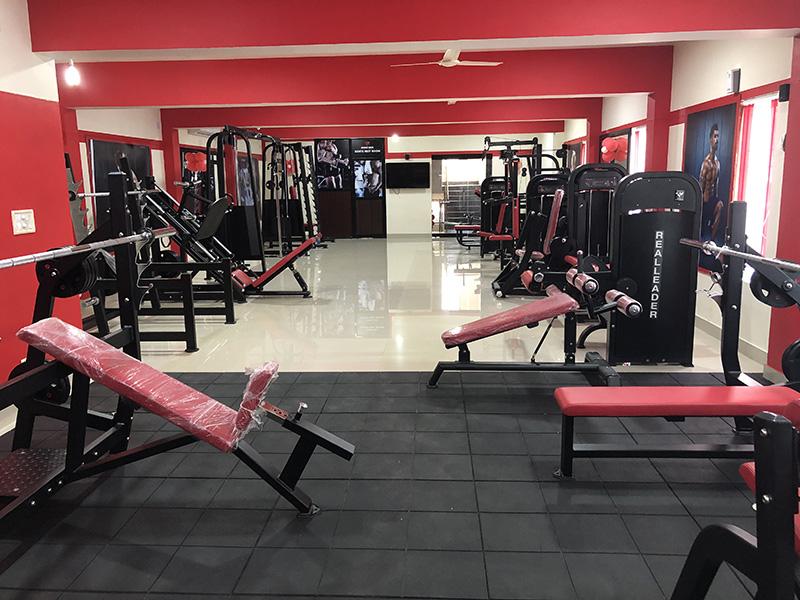


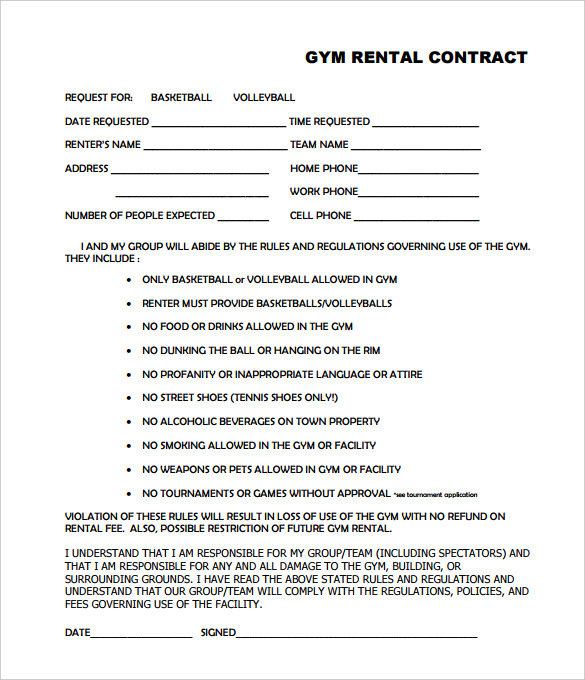

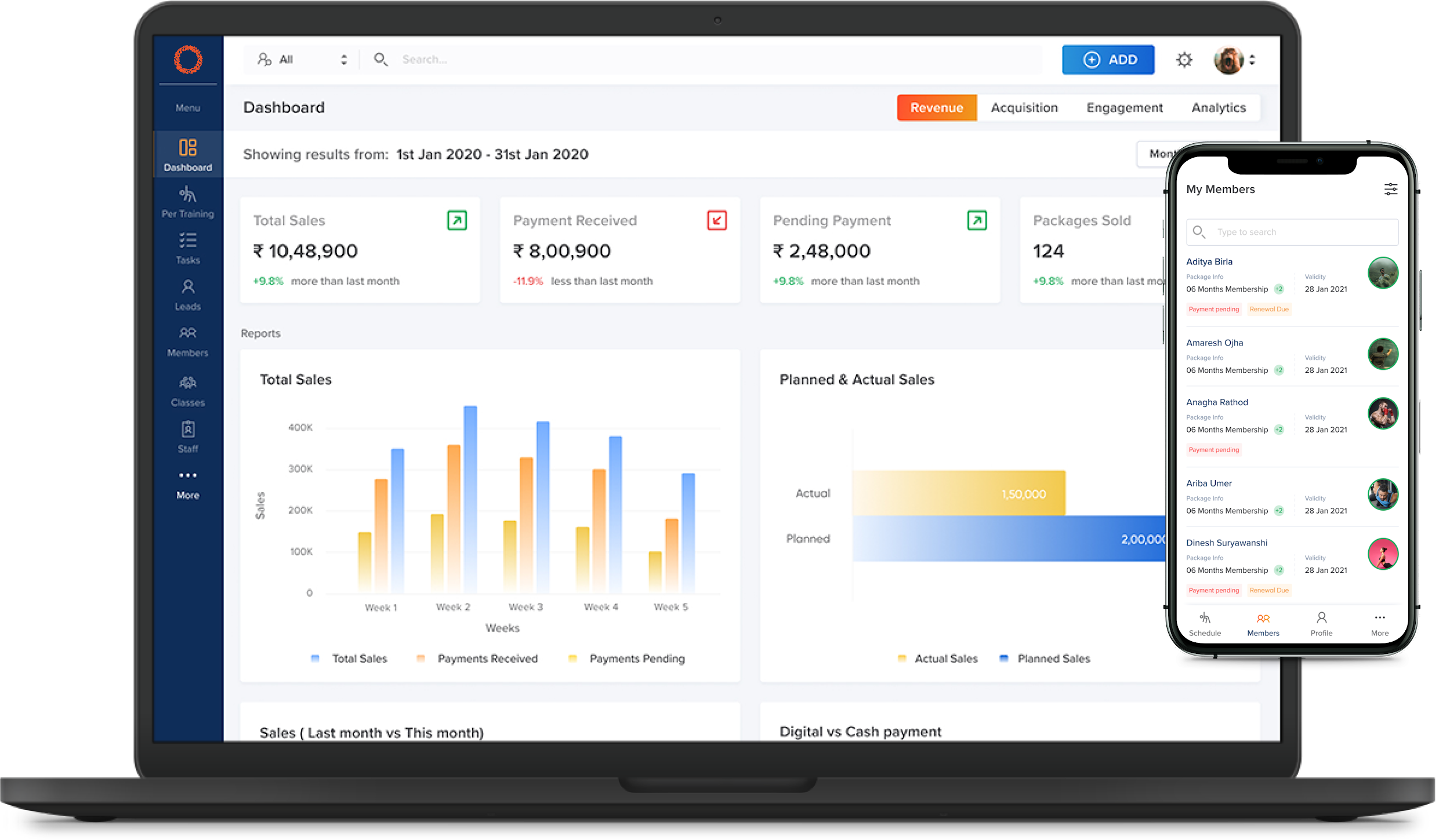
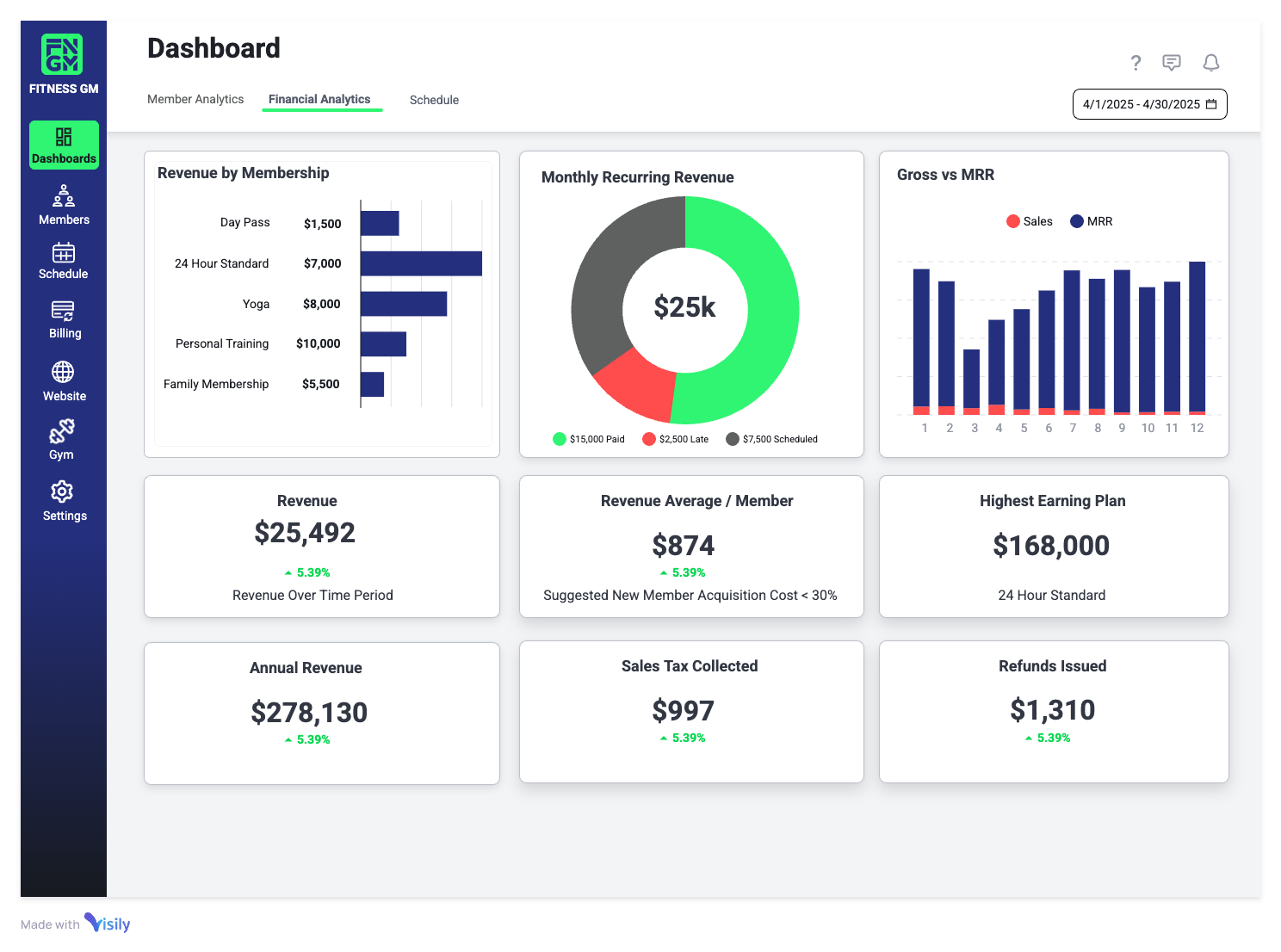
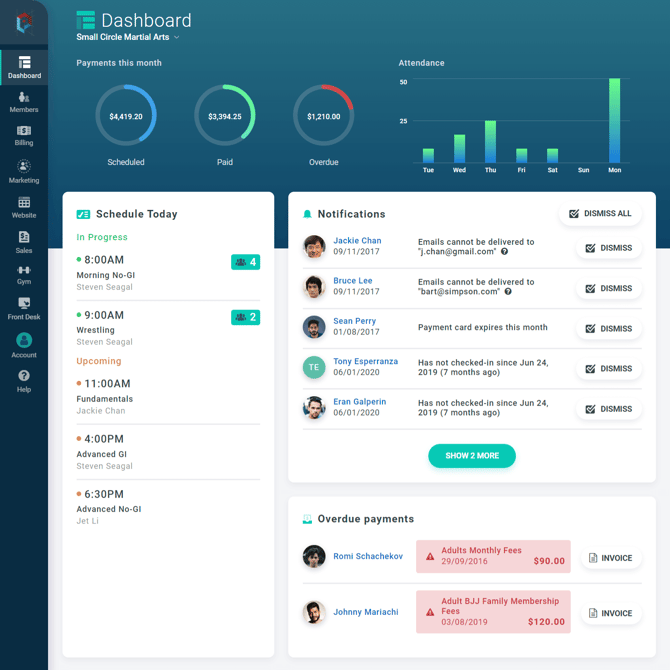

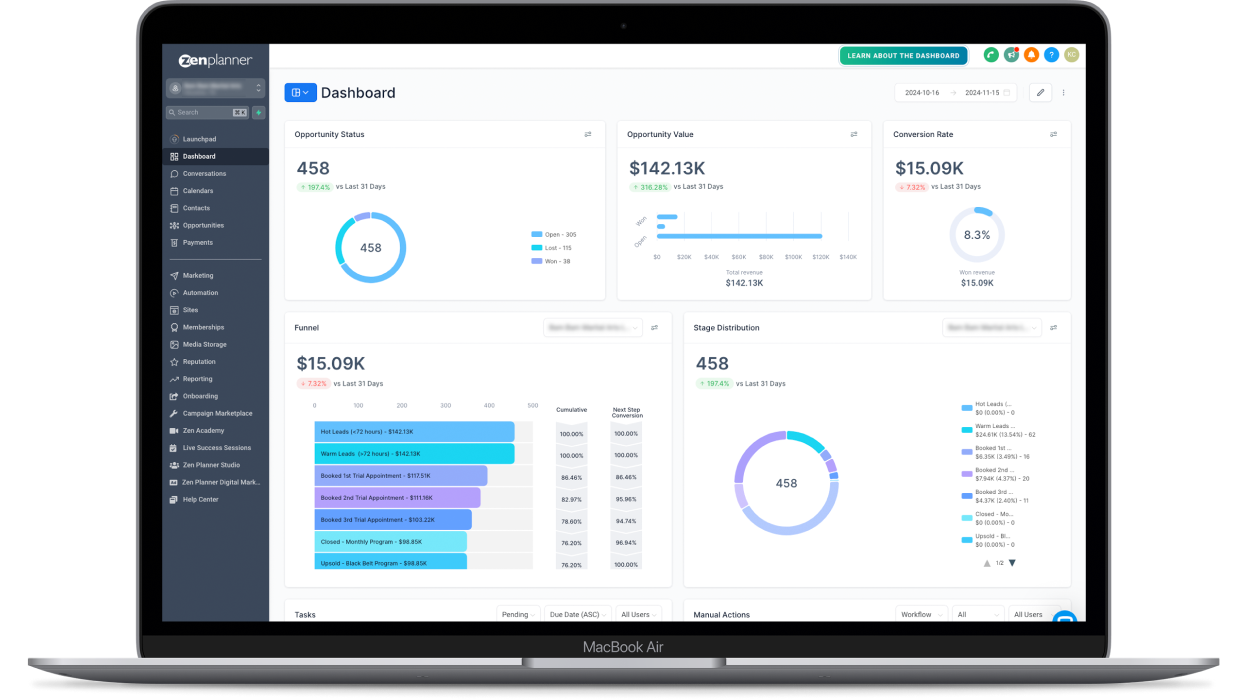
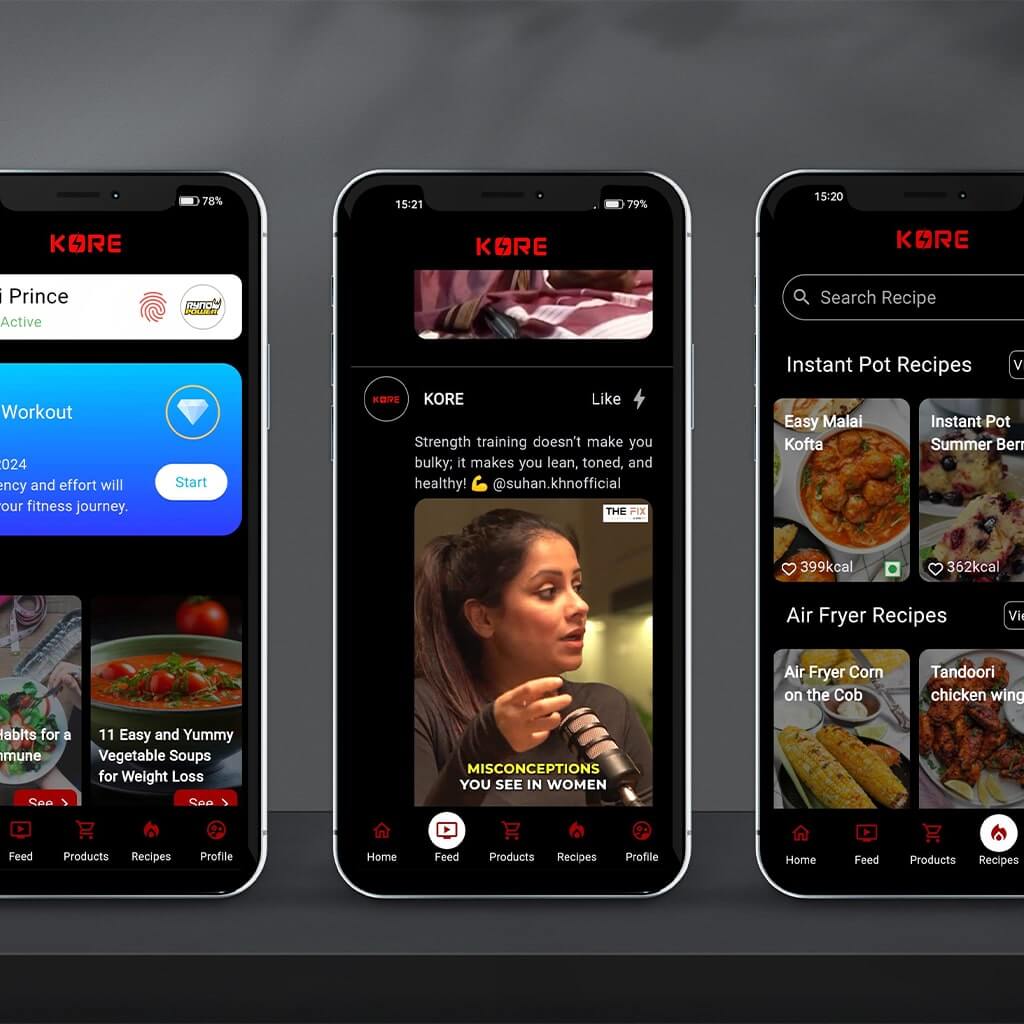
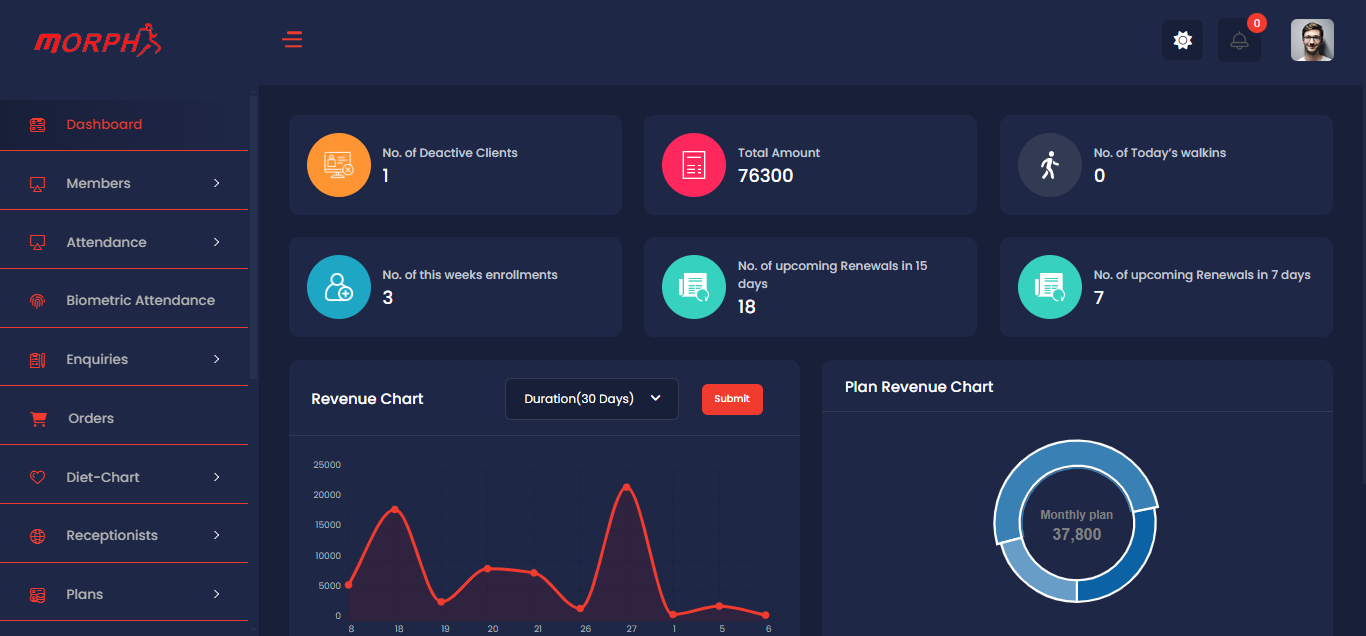
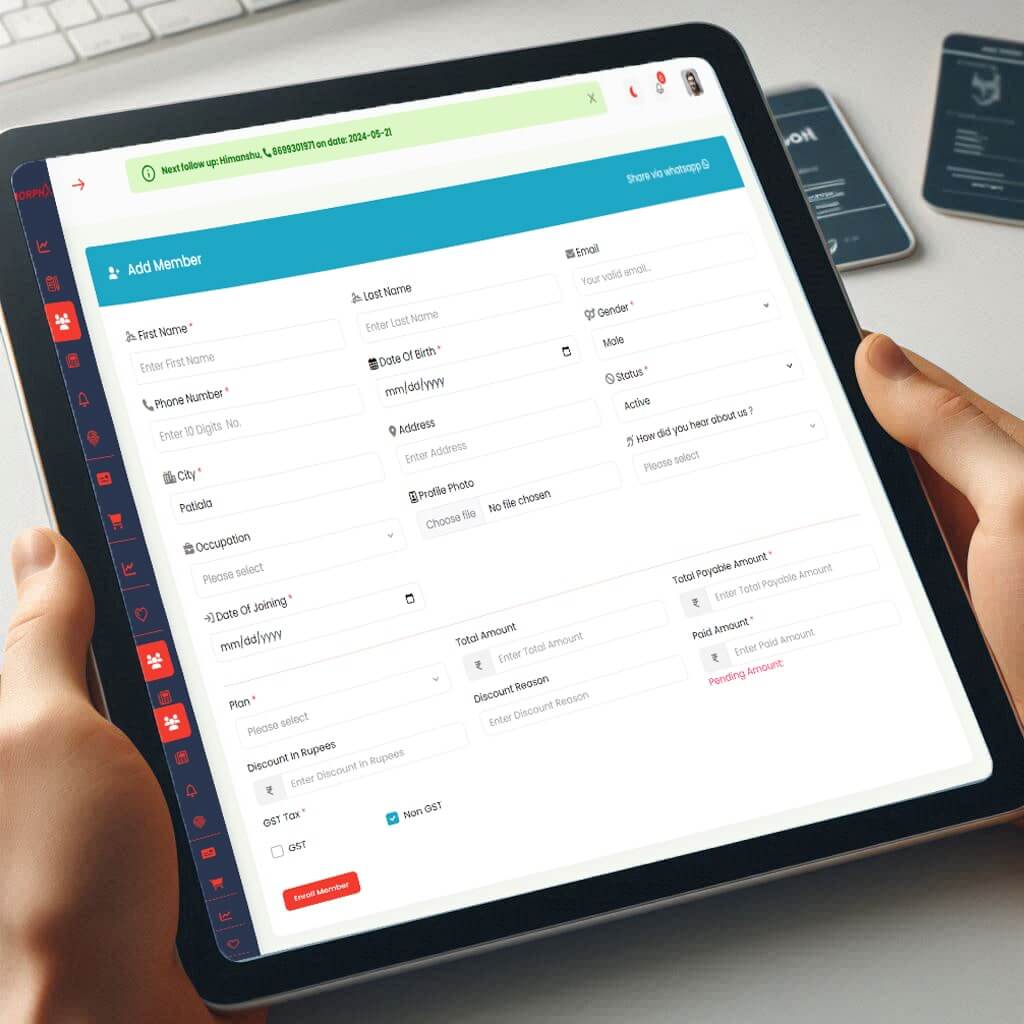

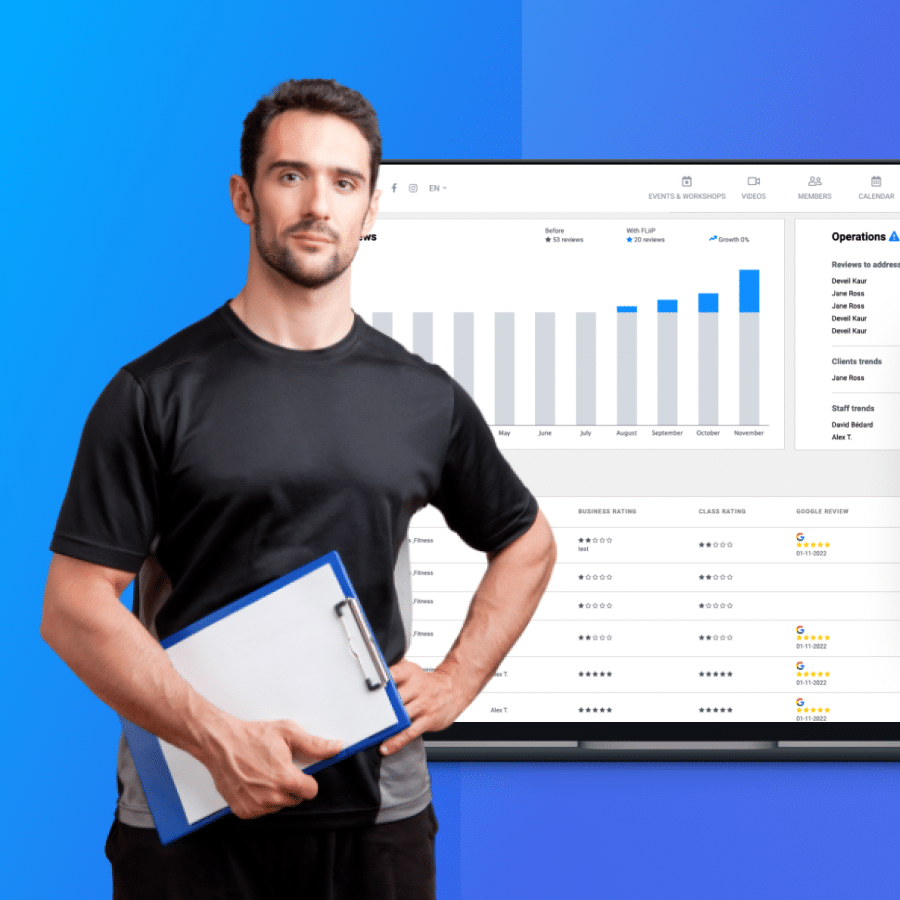
SOAP API: The Simple Object Access Protocol (SOAP) is an attempt to define a standard for creating web service APIs. It is a pattern, a web service architecture, which specifies the basic rules to be considered while designing web service platforms. It typically uses HTTP as a layer 7 protocol, although this is not mandatory.
The SOAP message itself consists of an envelope, inside of which are the SOAP headers and body, the actual information we want to send. It is based on the standard XML format, designed especially to transport and store structured data. SOAP may also refer to the format of the XML that the envelope uses. SOAP is a mature standard and is heavily used in many systems, but it does not use many of the functionality build in HTTP. While some consider it slow, it provides a heavy set of functionality which is a necessity in many cases. It might now be the best solution for browser-based clients, due to its custom format.